BarBeatCue

The live-performance rig for musicians · public beta

Your whole show, on one clock.

BarBeatCue plays the setlist on the Mac — stems, click, count-in — and puts each player's chart, lyrics or score on their own iPad, all following the same bar and beat.

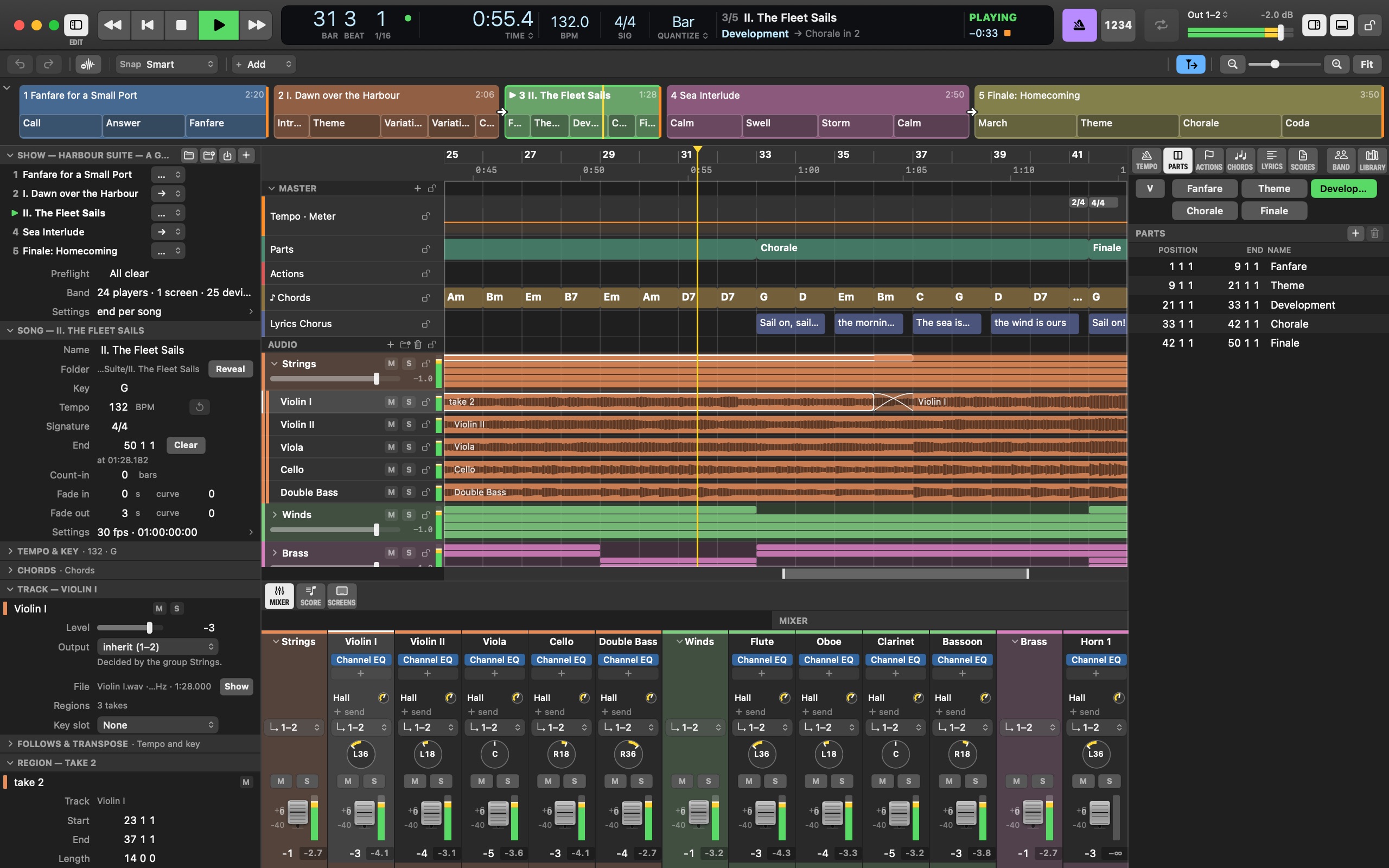
The Mac's window on an orchestral show: the setlist strip, the inspectors, the arrange with parts, chords and lyrics over the strings' stems, the Mixer below, the Parts list
The window, the players' iPads and the choir's Apple TV on one bar line — drawn by the app itself. Every picture on this site is a real screenshot of a real show.
LatencyA trigger lands on the sample it asked for, within one audio buffer; quantized jumps land on the bar line
SyncMIDI Clock, MTC and LTC out; LTC or MTC in with a soft chase
ScreensiPad, iPhone and Apple TV over one WiFi, no internet
ControlMIDI with learn, OSC, Stream Deck, a passphrase for the remote
FilesWAV, AIFF and CAF stems, MusicXML, PDF, LRC, MIDI; one show folder that travels

The band's screens follow the song

Every iPad, iPhone and Apple TV reads the Mac's clock over your own WiFi. When the song jumps to the chorus, every chart, prompter and score jumps with it, on the bar line.

A show that travels

One folder holds the setlist, the songs, the stems, the parts and who plays what. Copy it to the stage Mac, run Preflight, and it plays the same there.

From one song into the next

Chain songs with no gap, or crossfade them on a bar line. The next song can come in at the tempo and key of the one before, then drift back to its own tempo.

For a stage full of stands

Twenty-five players, checked from the desk

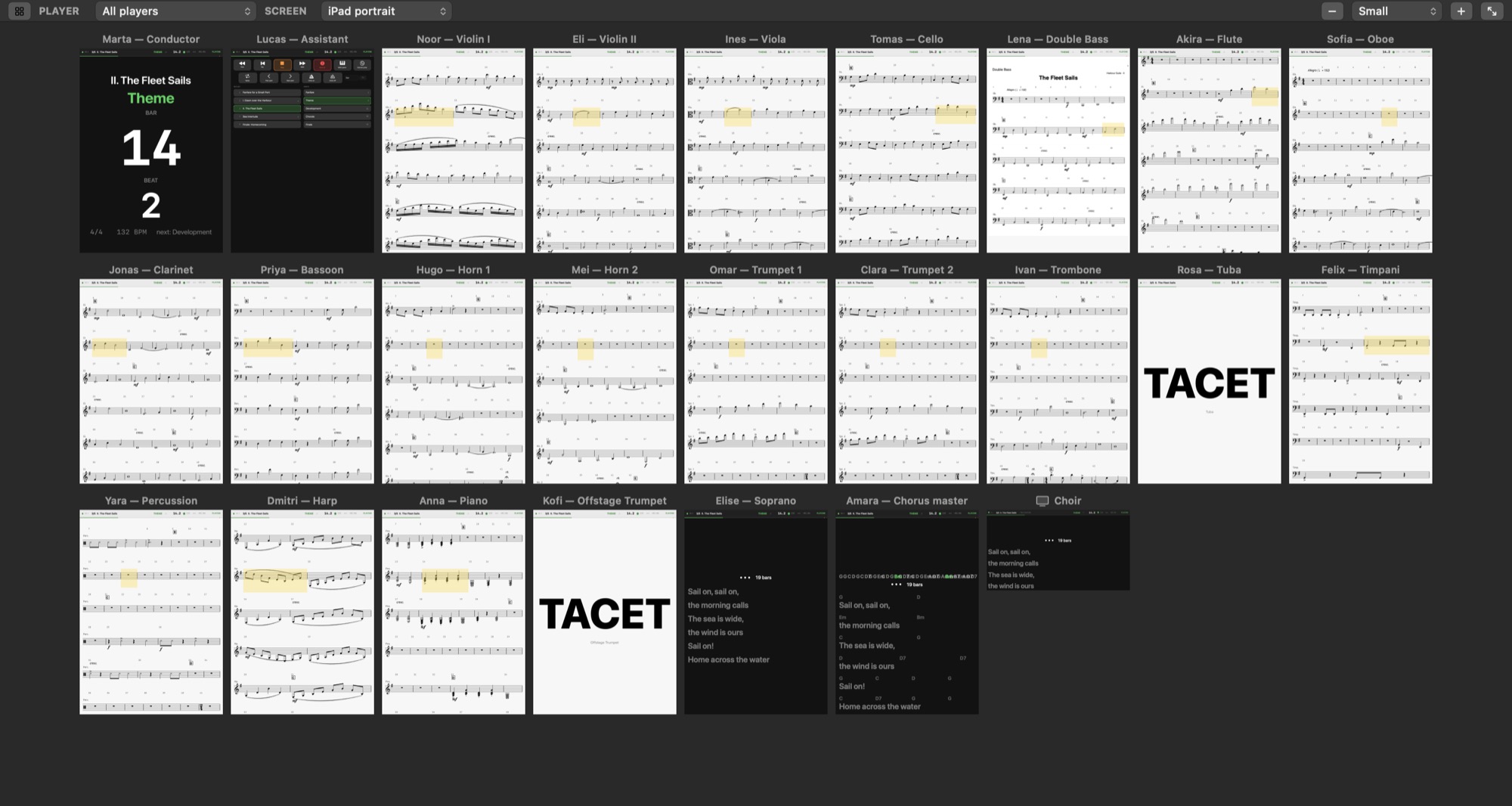
The Screens pane shows what every player sees right now: the firsts on their part, the tuba on TACET, the conductor on the bar and beat, the choir on its text.

The Screens pane: twenty-five players' iPads as their devices draw them, the conductor's bar and beat and the tuba's TACET among them, the choir's Apple TV
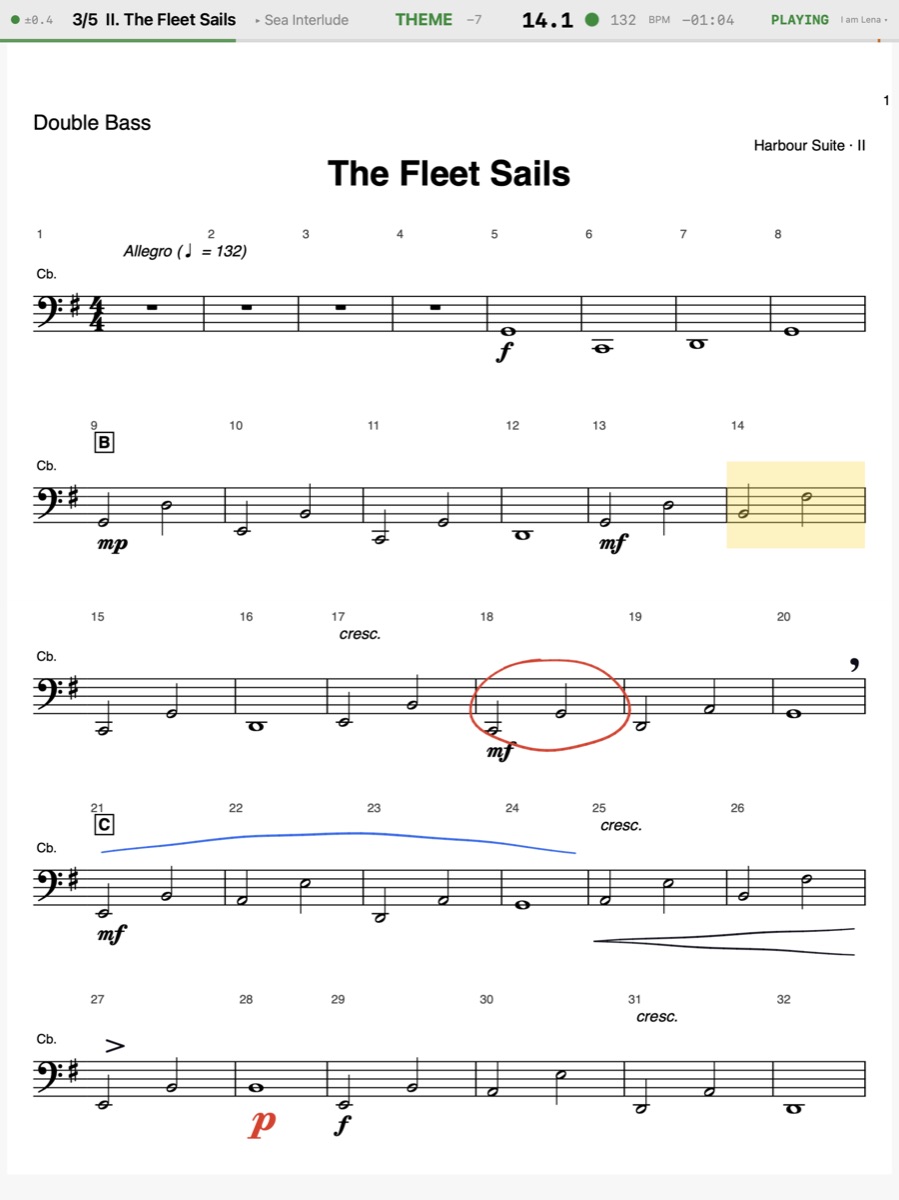
A double bassist's iPad: the printed part with their own Pencil marks — a ring, a crescendo, a phrase, a breath
Double bass · own marks
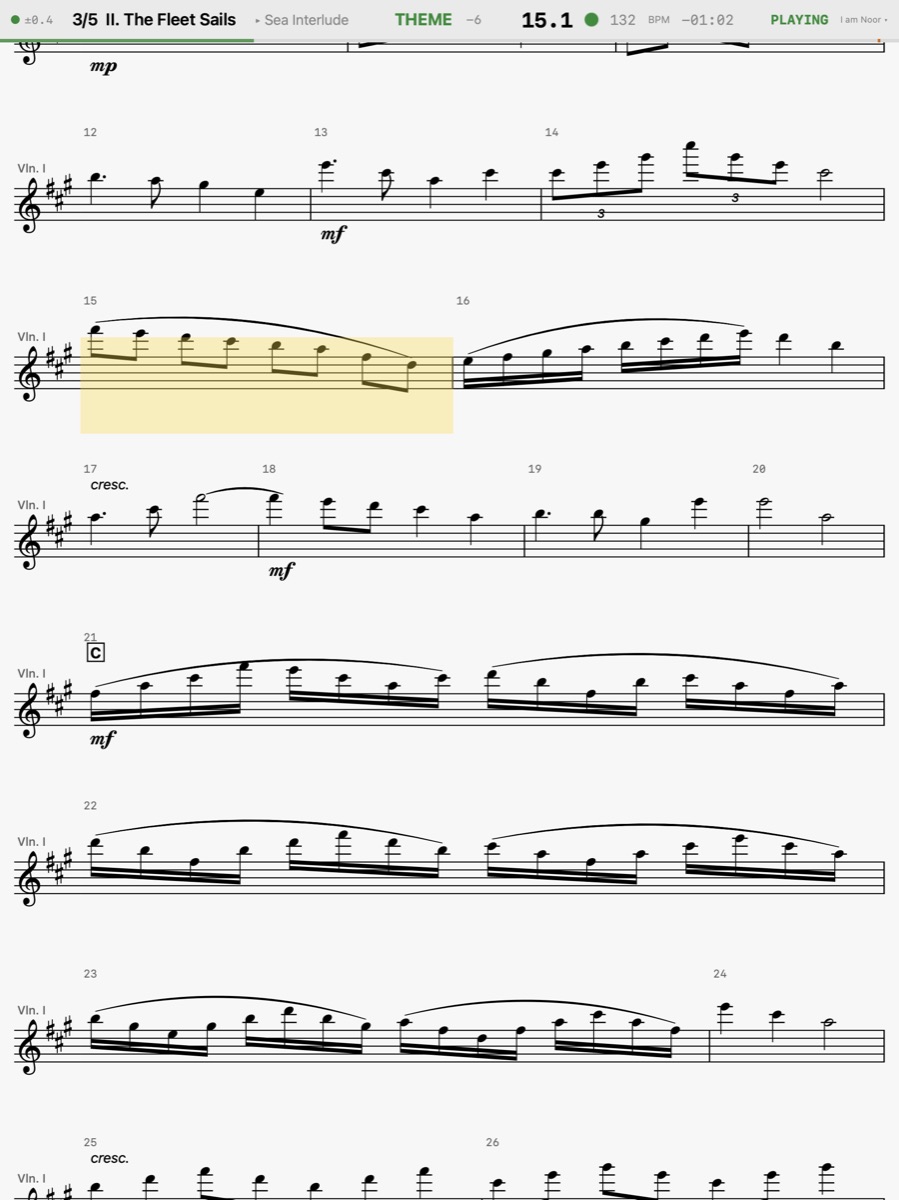
A violinist's iPad: the MusicXML part scrolling, the song a tone up and the part re-spelled for it
Violin I · a tone up
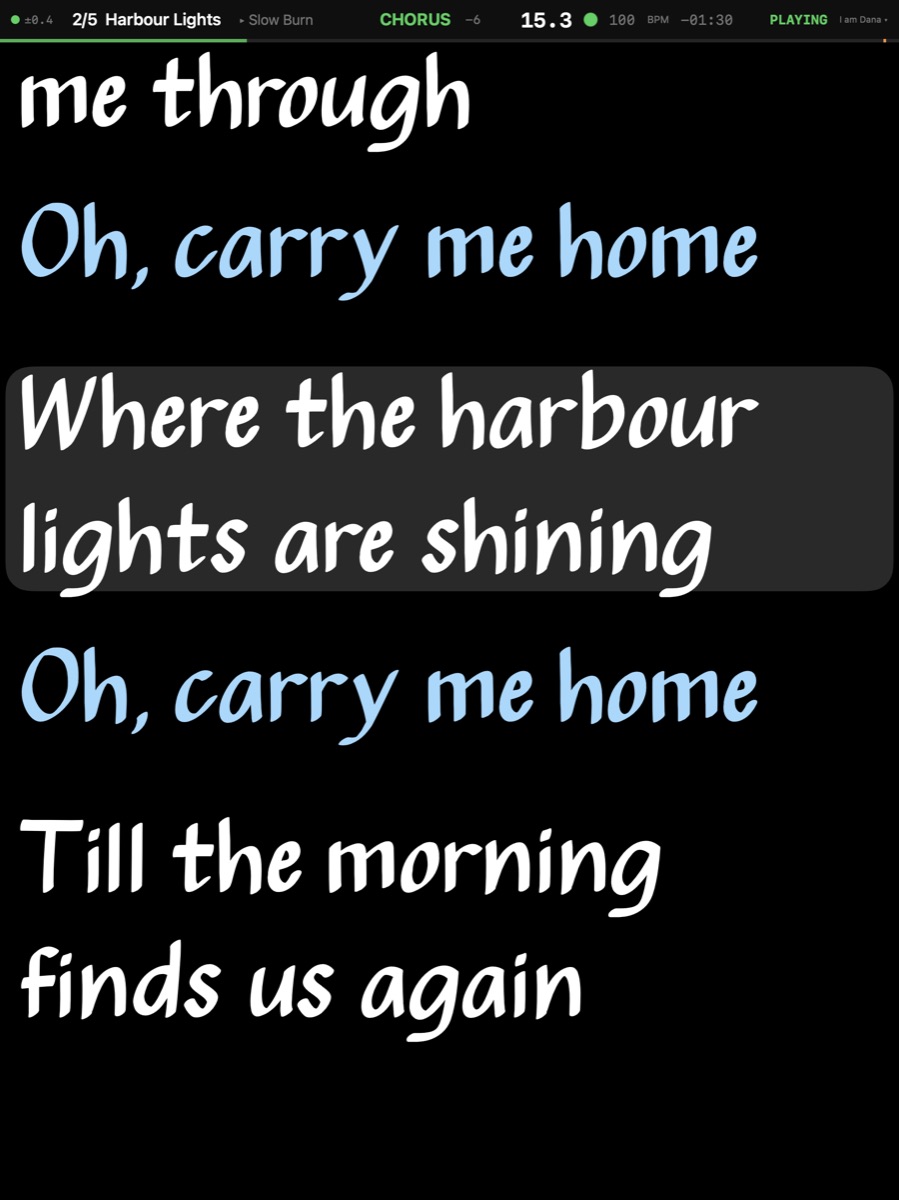
A singer's iPad: the prompter in the Real Book face, the harmony lines in blue, pinched to twice the size
Voice · own look

For the band

Each player reads what they need

The printed part with your own Pencil marks, seen by no one else. A MusicXML part that scrolls, re-spelled in the key you play. A prompter in the singer's own face and colours, pinched as large as they need. A chart, a giant bar and beat, the band leader's remote — set per player on the Mac, saved with the show.
The band's screens

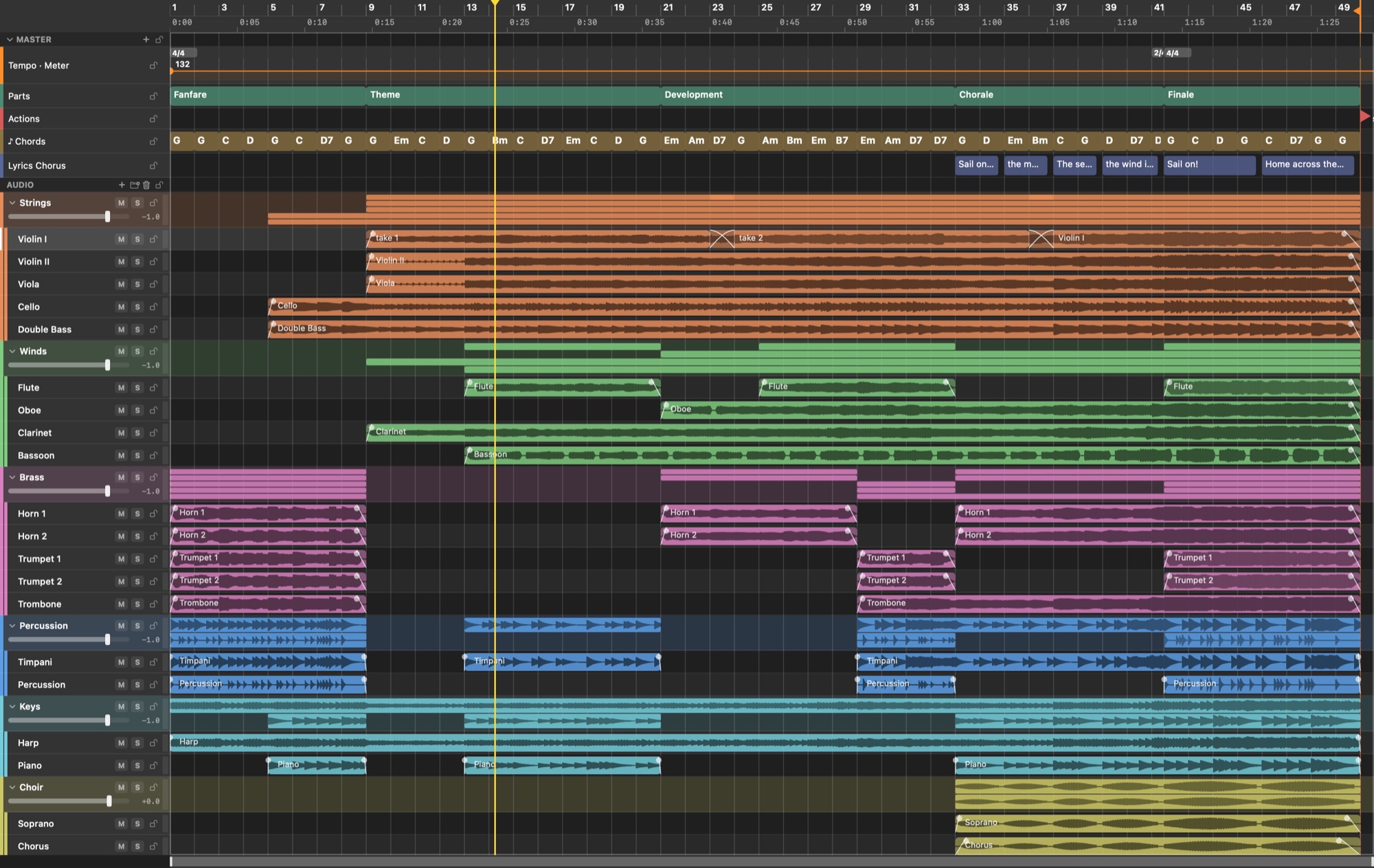
The arrange on an orchestral show: parts, actions, chords and lyrics lanes over the groups of stems, every entrance its own region, a crossfade between two takes

For the one who builds the show

The click to the drummer, the stems to the house

A DAW's arrange with what a DAW lacks on the same timeline — parts, chords, lyrics and actions. The click and a voice calling the next part go to the drummer's ears alone, the stems to the house. Preflight checks every song's routes, files and ports before the gig.

The Mac

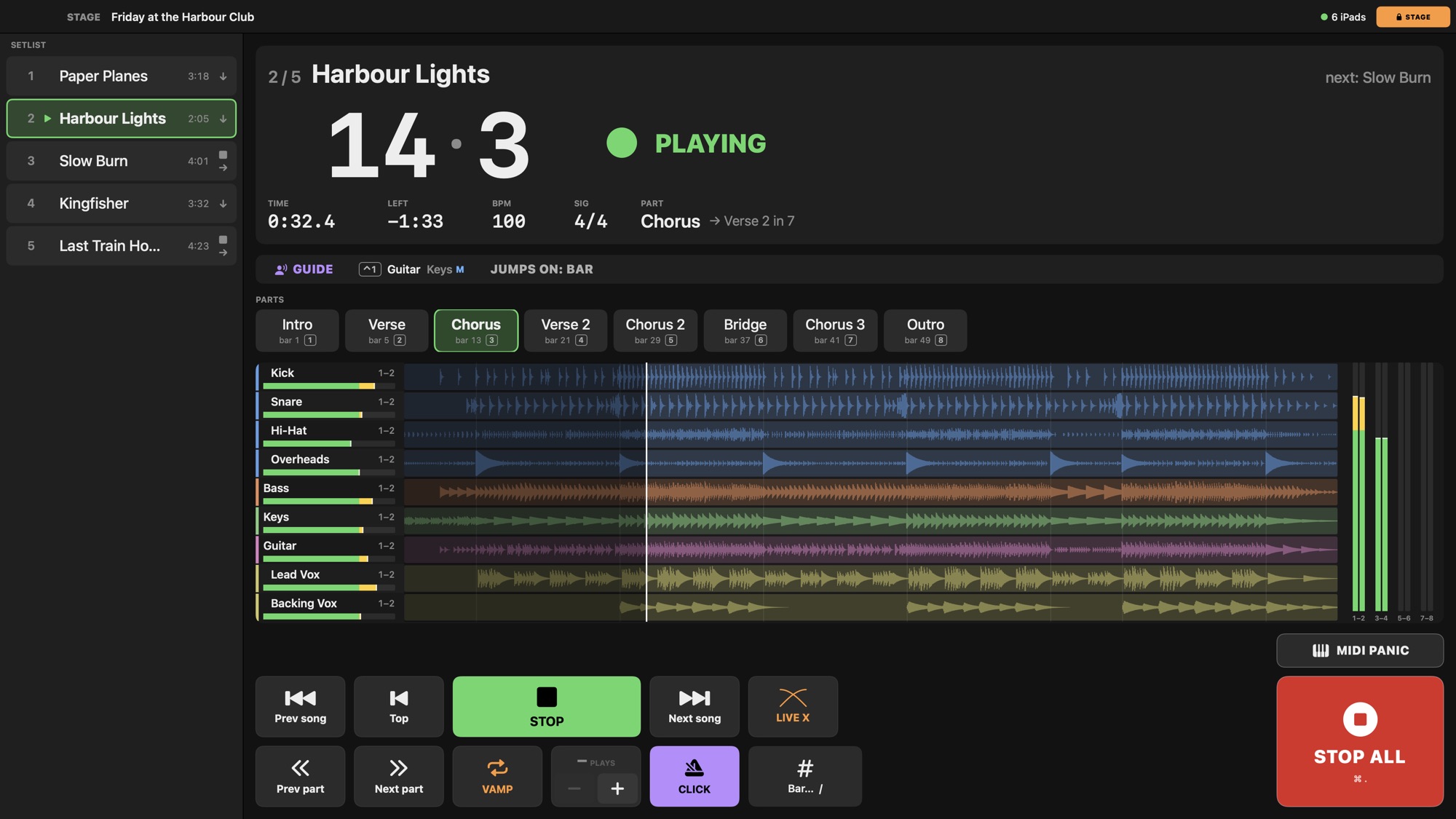
The stage page: the setlist, the bar and beat large, the parts as buttons, every stem with its meter, and Stop All in the corner

For the show itself

One key, and the Mac is a stage page

Every edit locked, the bar and beat large enough to read from the drum riser, the parts a tap away, every stem with its meter — and a Stop All that cuts the sound and the MIDI, away from Play, in the corner.

The stage page

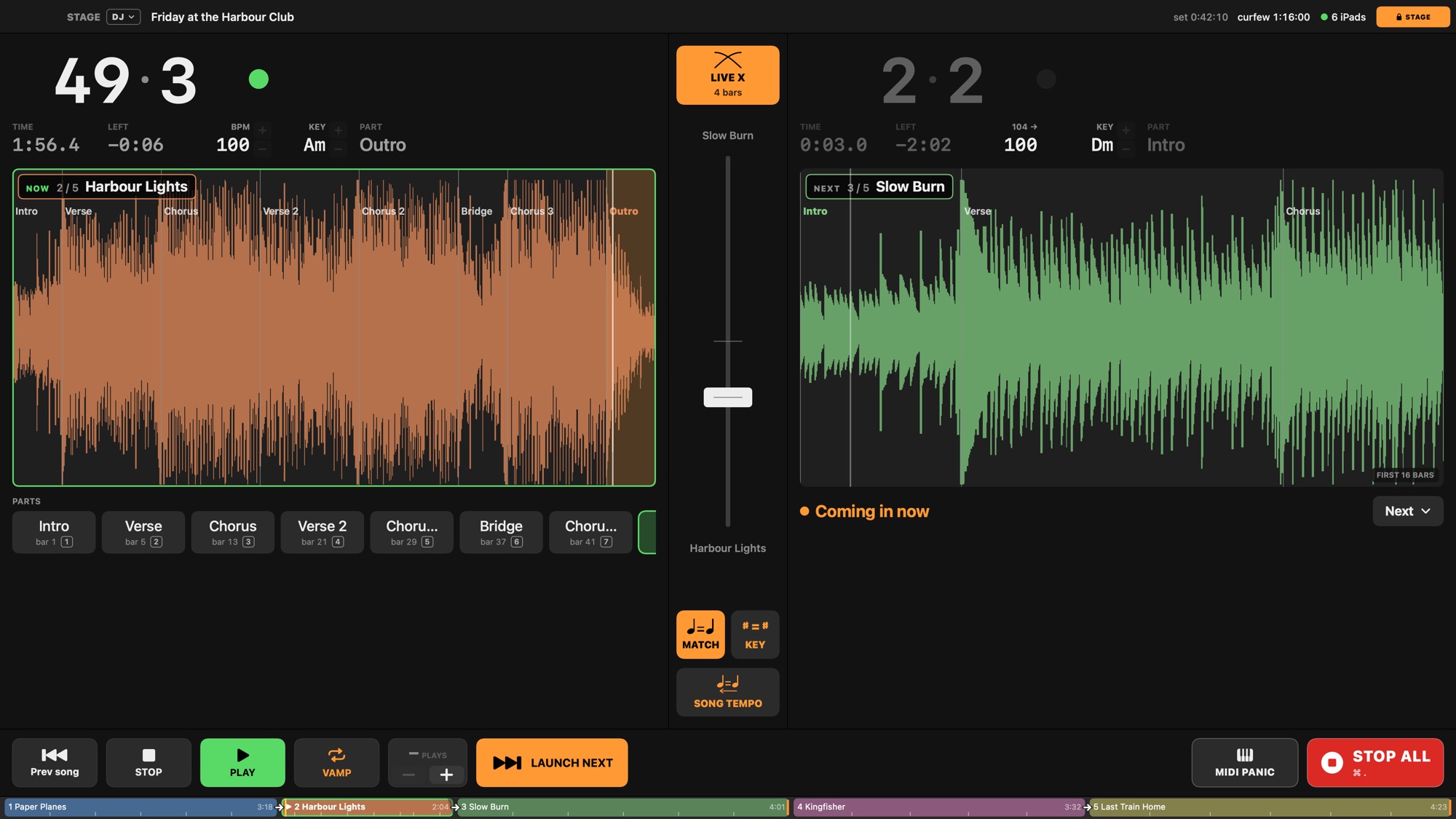
The DJ stage page: two decks, the crossfade fader between them, Match tempo and Match key

For a set that never stops

Crossfades, matched tempo, matched key

A DJ page with two decks and a fader between them: launch the next song on the bar, ride the crossfade by hand or with a MIDI fader, nudge the tempo, change the key. The band's screens switch songs where the mix passes the middle.

A DJ-style set


Use cases

Small band or big orchestra

A band with click and charts

The drummer hears the click, the house gets the stems, everyone reads their part.

Recording sessions

From an orchestra to a trio: the click and the score on every stand; the DAW records.

A theatre with screens

Apple TVs on big screens for the whole stage.

Following a house system

Timecode in and out, a DAW on the same Mac.

A singer's prompter

The words in front of the singer, the line being sung lit.

A DJ-style set, and a band over it

Song into song with crossfades, matched tempo and key; the band reads through the mix.

Free while it is in beta

No license until 1.0. Then one payment for two Macs, a studio Mac and a stage Mac, with a year of updates. The iPad, iPhone and Apple TV apps are free, through TestFlight while in beta.

€139€93Launch price until 1 February 2027