Check every screen from the desk
The Mac's Screens pane shows what each Screen and each iPad shows right now — before the house opens, and during the show.
Apple TVs on large screens — lyrics for the cast, the bar and beat for the pit — all on the show's clock.
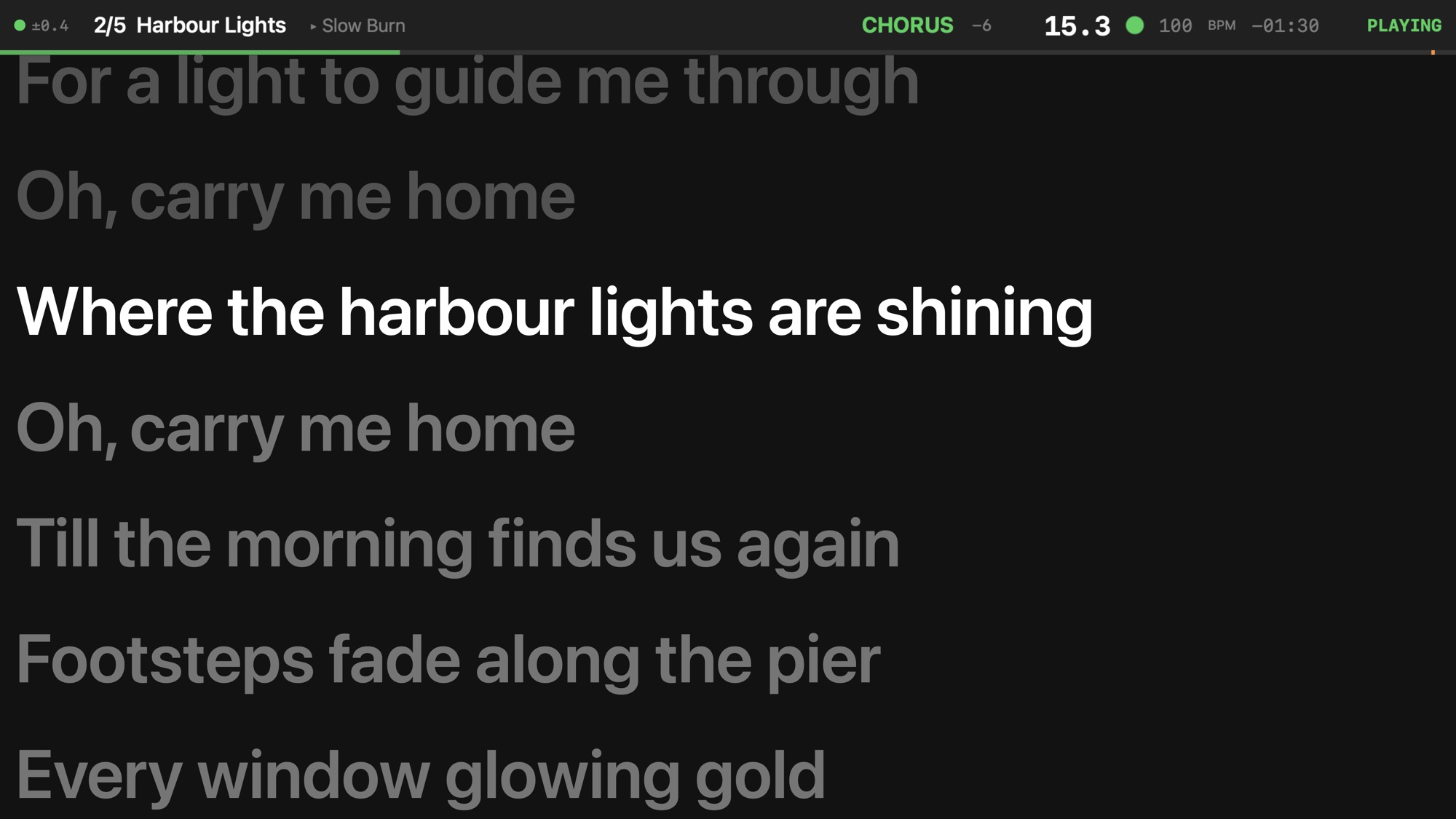
BarBeatCue Display runs on an Apple TV (tvOS 18 or newer) and shows one of four displays on whatever it is plugged into: the lyrics, a chord chart, chords and lyrics, or the giant bar and beat. Hang one in front of the cast, put one at the conductor's feet, give the pit its own.
On the Mac each Apple TV is a Screen in the Band list, beside the players with iPads: name it, pick its display, and pick it on the TV. Its band at the top is larger, for reading from a distance, or hidden.
Add Screen Band ▸ Add Screen — Adds a Screen to the show: a player that is an LCD on the stage, shown by BarBeatCue Display on an Apple TV. It shows the lyrics prompter, the chords + lyrics, the chart or the giant readout — never a score — in large type; pick it on the Apple TV by its name.
A song can switch a Screen to another display — the lyrics in the numbers, the bar and beat in the dance break — and an action on the timeline can switch it at a bar.
A TV set shows its picture late — often by a tenth of a second or more. Each Screen has a Lead that draws it that much ahead, so the lit line changes with the music you hear.
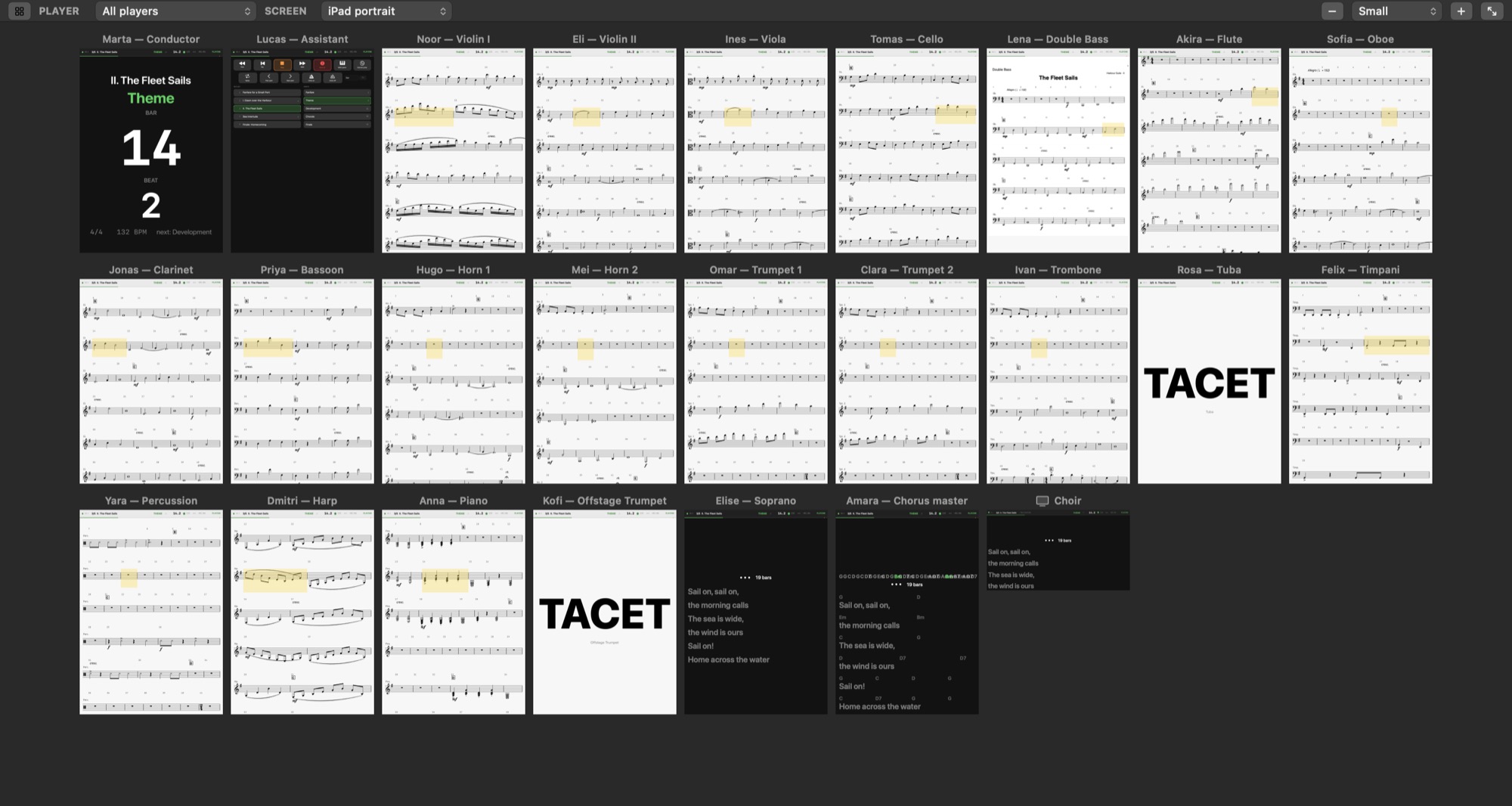
The Mac's Screens pane shows what each Screen and each iPad shows right now — before the house opens, and during the show.
The network — one router for the Mac and every Apple TV and iPad.