Stream Deck
A deck for the stage: BarBeatCue's keys on Elgato Stream Deck buttons
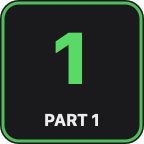
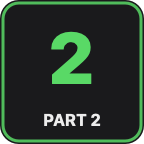
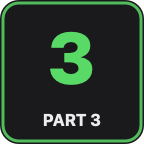
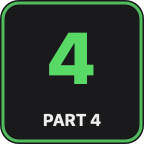
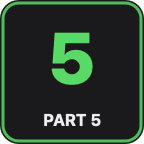
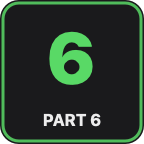
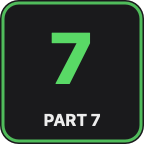
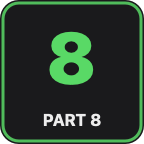
Each button of the profile presses one of BarBeatCue's own keys — Play / Stop, Stop All, Previous and Next Song, Top, the parts 1 … 10, Vamp and its plays, Click, Cancel Jump, MIDI Panic, Enter Stage — drawn in the app's colours: green for what plays, orange for the vamp, purple for the click, red for Stop All.
Download
Stream Deck XL (32 keys)
Stream Deck Classic (15 keys)
Stream Deck Mini (6 keys)
The icons alone
Put it on the deck
- Open the Stream Deck app and choose your device.
- Double-click the downloaded file — or open the profile menu next to the device name and choose Import….
- Open BarBeatCue. The buttons press keys in the app that is in front, so BarBeatCue must be the active app (on the stage page it always is).
The keys are BarBeatCue's default keys. If you changed one in BarBeatCue ▸ Key Commands…, edit that button's Hotkey in the Stream Deck app. Write to support@barbeatcue.live and we will make a profile with your keys.
Beta. The profile installs in the Stream Deck app (version 7.6 on a Mac) with every button and key; it has not yet been pressed on every Stream Deck model. If a button misfires or the app does not accept the file, set the deck up by hand from the tables below: give each button a Hotkey action (System ▸ Hotkey), press the key listed, and drag the icon from the icons file onto the button. Each layout is made for its own model — pick the one that matches your deck; on another model the app shows the part that fits.
Stream Deck XL
| Key | Press | What it does |
|---|
| PART 1 | 1 | Part 1 |
| PART 2 | 2 | Part 2 |
| PART 3 | 3 | Part 3 |
| PART 4 | 4 | Part 4 |
| PART 5 | 5 | Part 5 |
| PART 6 | 6 | Part 6 |
| PART 7 | 7 | Part 7 |
| PART 8 | 8 | Part 8 |
| PART 9 | 9 | Part 9 |
| PART 10 | 0 | Part 10 |
| PREV PART | ⌥, | Previous Part |
| NEXT PART | ⌥. | Next Part |
| VAMP | V | Vamp |
| PLAYS − | [ | One Play Fewer |
| PLAYS + | ] | One More Play |
| VAMP ∞ | ⇧V | Vamp Until Cued (∞) |
| PREV SONG | Page Up | Previous Song |
| TOP | ↩ | Go to Beginning |
| PLAY / STOP | Space | Play / Stop |
| NEXT SONG | Page Down | Next Song |
| CLICK | K | Click |
| GUIDE | ⇧⌘K | Spoken Guide |
| CYCLE | C | Cycle |
| CANCEL JUMP | ⎋ | Cancel Jump |
| STAGE | ⇧⌘P | Enter / Leave Stage |
| MIDI PANIC | ⌥⌘. | MIDI Panic |
| STOP ALL | ⌘. | Stop All |
Stream Deck Classic, 15 keys
| Key | Press | What it does |
|---|
| PART 1 | 1 | Part 1 |
| PART 2 | 2 | Part 2 |
| PART 3 | 3 | Part 3 |
| PART 4 | 4 | Part 4 |
| VAMP | V | Vamp |
| PREV PART | ⌥, | Previous Part |
| NEXT PART | ⌥. | Next Part |
| CLICK | K | Click |
| CANCEL JUMP | ⎋ | Cancel Jump |
| MIDI PANIC | ⌥⌘. | MIDI Panic |
| PREV SONG | Page Up | Previous Song |
| TOP | ↩ | Go to Beginning |
| PLAY / STOP | Space | Play / Stop |
| NEXT SONG | Page Down | Next Song |
| STOP ALL | ⌘. | Stop All |
Stream Deck Mini, 6 keys
| Key | Press | What it does |
|---|
| PREV SONG | Page Up | Previous Song |
| PLAY / STOP | Space | Play / Stop |
| NEXT SONG | Page Down | Next Song |
| VAMP | V | Vamp |
| NEXT PART | ⌥. | Next Part |
| STOP ALL | ⌘. | Stop All |