BarBeatCue

A band with click and charts

Stems to the house, the click in the drummer's ears, every player's part on their own iPad — and one press plays the set.

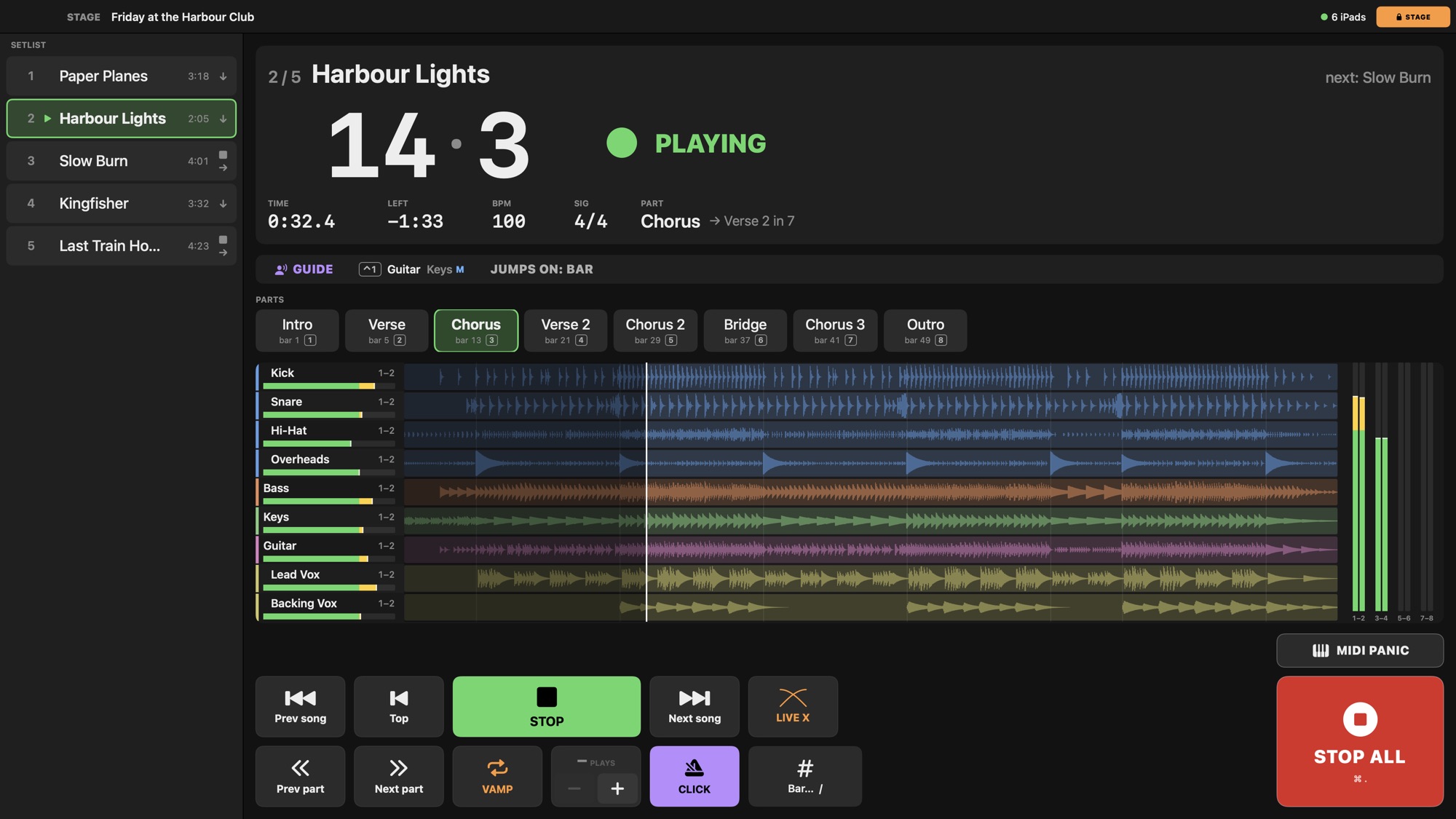
The stage page during a song: the setlist, the bar and beat, the parts, every stem with its meter

What you need

How it goes

  1. Build the show. A song is a folder of stems; drop it on the setlist. Detect the tempo if it was recorded without a click, add the parts, the chords, the lyrics — or import a PDF or MusicXML part per instrument.
  2. Route it. The click and the spoken guide to the drummer's pair, the stem groups to the house, a guitar to its own monitor — per track or per group, on the Mixer.
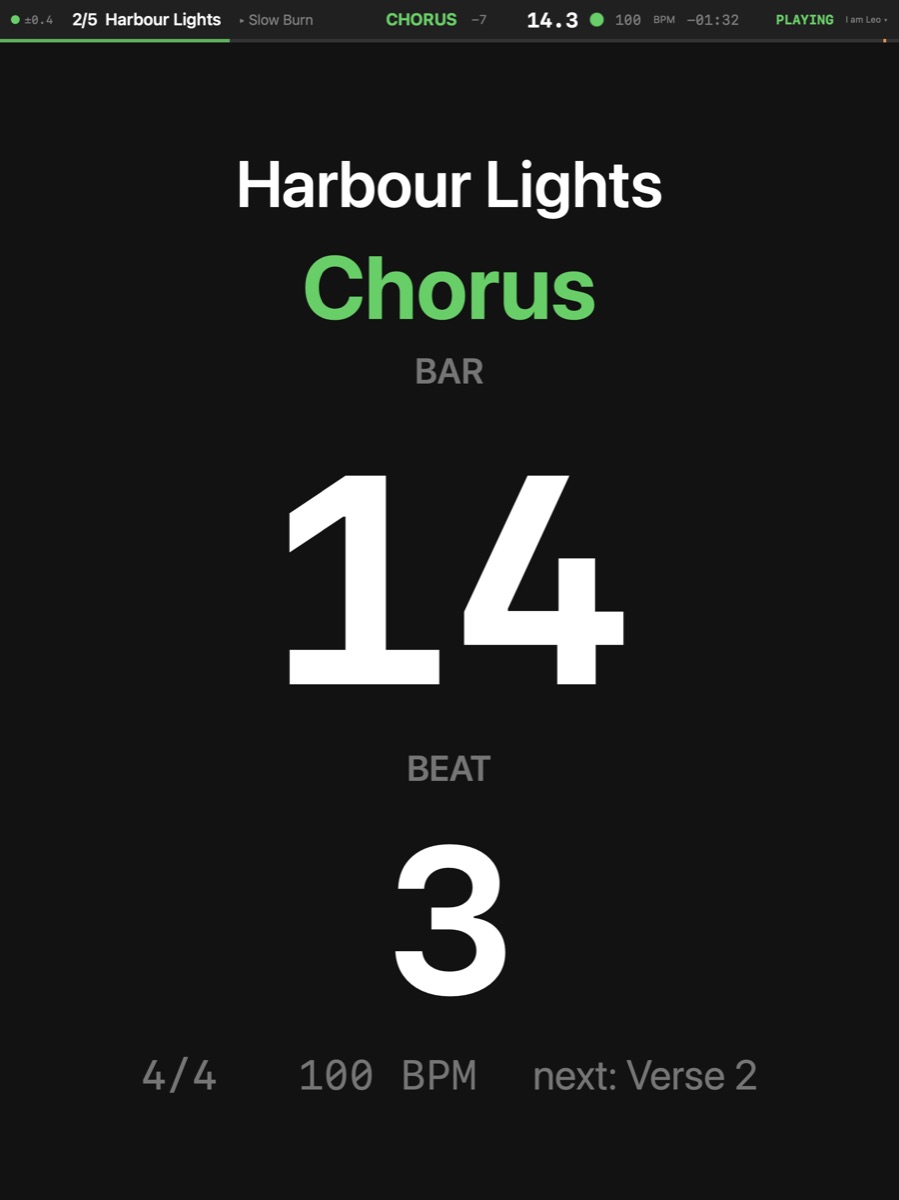
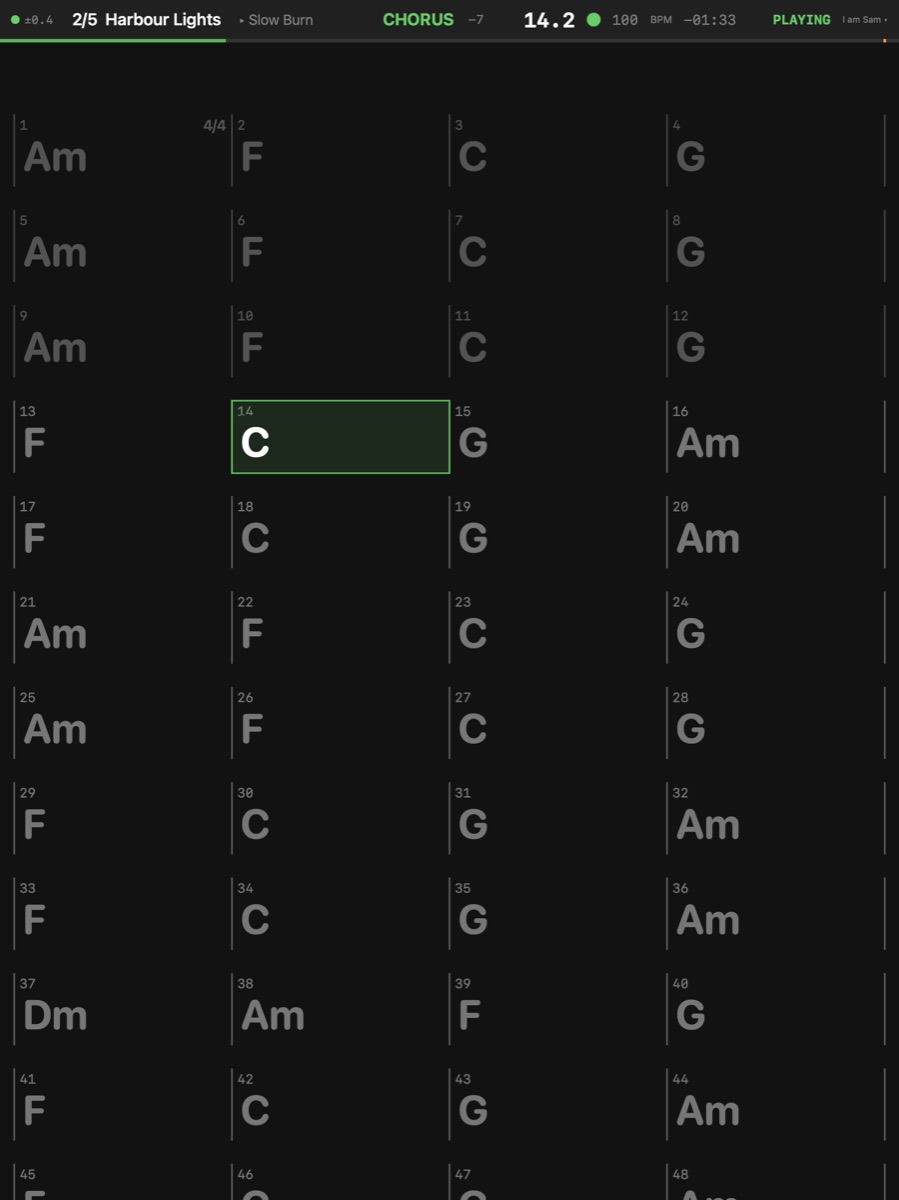
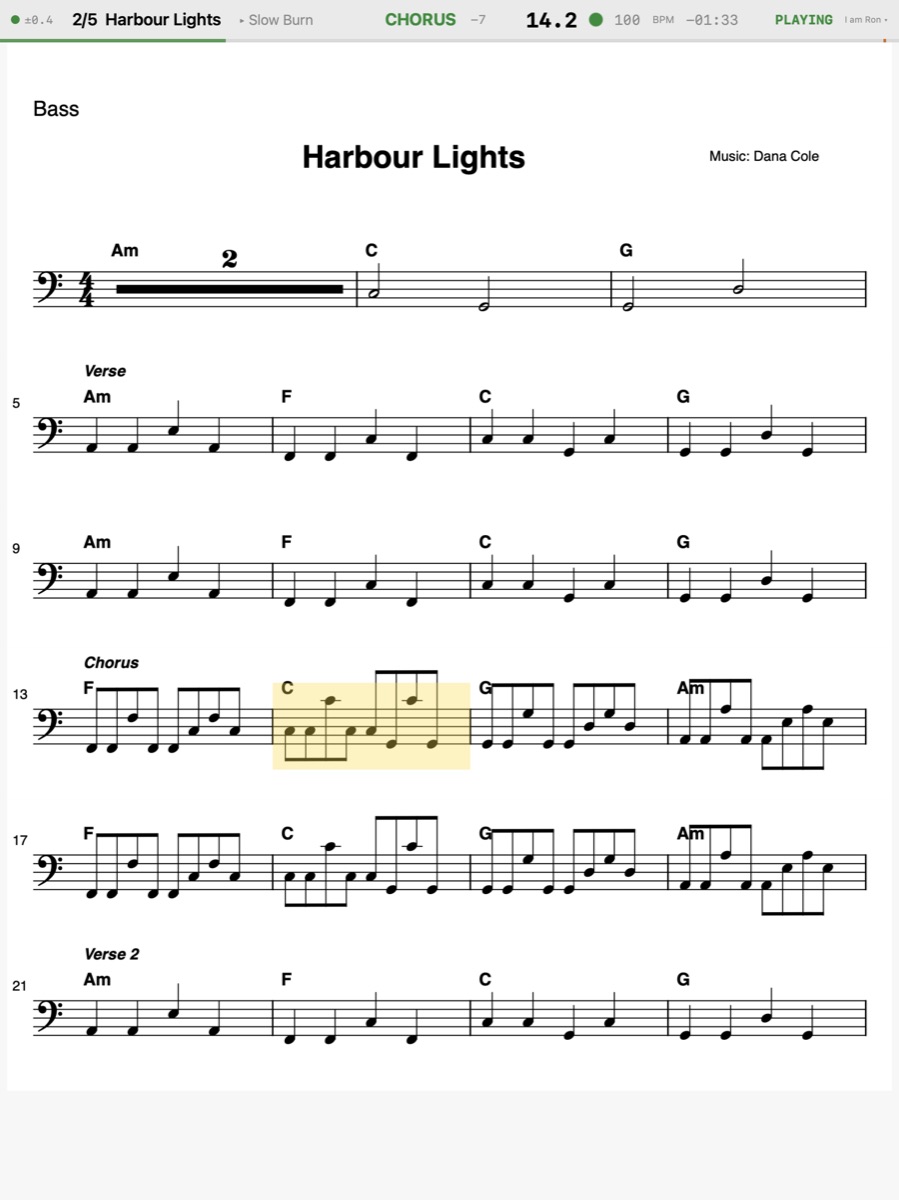
  3. Name the band. Add each player on the Mac with their instrument and display: the bass reads the PDF part, the guitar a chord chart, the drummer the giant bar and beat. Each iPad picks who it is.
  4. Check it. Preflight reads the whole show — missing files, outputs your interface lacks, a player with no part in a song — and says where to fix it.
  5. Play. Enter the stage page: edits lock, the parts are a tap away, a footswitch can call the next song. Songs chained into each other run on with no gap; a count-in brings in the ones that stop.
The drummer's iPad: the giant bar and beat
The drummer
The guitarist's iPad: the chord chart
The guitar
The bassist's iPad: the PDF part
The bass

When the song changes, the band knows

Jump to the chorus and every chart, prompter and score goes there on the bar line. Loop a part until the singer nods: each screen says "VAMP 2 of 4". The band's screens show the next song before it starts.

More

Go to Part Transport ▸ Part ▸ Go to Part — Jumps to the part's start — while playing, on the next Quantize line so the pulse never breaks. The keys 1 … 0 and ⌥1 … ⌥0 jump to parts 1–20.

Vamp Transport ▸ Vamp ▸ Vamp · V — Loops the part the song is in until you switch it off — or for a number of plays. V again ends it at the end of the play it is in; the song then runs on.

More

Click Transport ▸ Click · K — Switches the click on or off. It plays on the click output chosen in Show Settings › Audio (the drummer's ears on this rig).

Count-in Song ▸ Count-in ▸ Count-in · ⇧K — Clicks the chosen number of bars before the song starts, when it plays from the top (and before a gapless chain into it). A click switches it on or off; a right-click picks the bars.

Spoken Guide Transport ▸ Spoken Guide · ⇧⌘K — A voice says each part's name a bar before it starts, its first sound on the beat, and counts the count-in aloud — on the guide's output (Show Settings › Audio › Guide: with the click by default). What it says is where the music goes: a vamped part's own name on every pass but the last, a part's jump's destination.

Output — The output channels of the track or group (inherit = its group's, else outputs 1–2).

Preflight File ▸ Preflight… — Checks every song of the setlist: the song, stem, region and score files there; the stems at the device's rate; the outputs within the device; the plug-ins installed and loading; the MIDI ports the show uses and the MIDI actions' outputs; whose score is missing where (TACET); annotation marks that may have moved after a re-export; the beta's date. Red: fix it before the show; orange: a warning; grey: a note. A Fix button goes where it is fixed. It runs by itself when a setlist opens; on the stage page it opens read-only.

Set it up

The network — one router, the iPads finding the Mac · the audio — the outputs, the click to the drummer · MIDI — pedals and controllers.